⚒️ Crafting Calculator
Calculate materials for weapons and craft items.
Plan full weapon tiers, compare your saved inventory with your in-game inventory, and quickly see missing materials before crafting.
- Full tier chains
- Missing inventory view
Pick a weapon
Quantity
Options
Success chance
See the chance for the selected craft and, when needed, the real chance across previous weapon tiers.
Current craft
Choose runes for this tier
Select any rune combination to simulate this craft attempt.
Real chance across weapon tiers
Pick the runes used on previous weapon tiers to calculate the full path until the selected weapon.
Pick the runes used on previous weapon tiers to calculate the full path until the selected weapon.
Pick a craft item
Quantity
Options
❔
Help & Guide
Learn what each part of the calculator does and how to use it.
Plan your crafting faster, with fewer mistakes.
This page helps you calculate materials, crafting chains, and missing items for weapons and craftables in Graal Ol'west. It is a planning tool made to make long crafting routes easier to understand.
Calculator mode
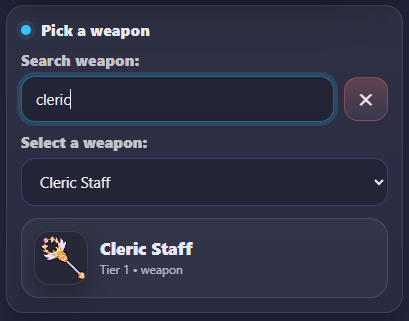
Search and select your target
Use the search bar to quickly find a weapon or craft item. After selecting it, the preview card confirms the tier and selected target before calculating.
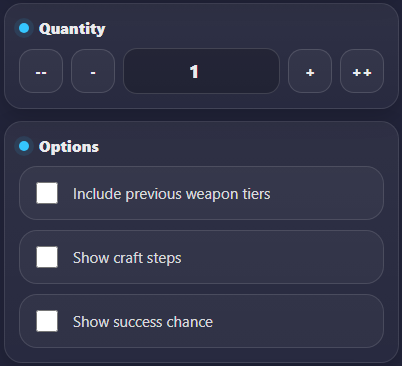
Quantity and options
Adjust the quantity and enable options like previous tiers, craft steps, and success chance before calculating.
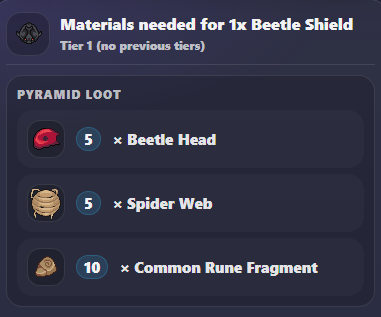
Results and materials
After calculating, the tool shows total base materials, optional craft steps, and success references if enabled.
Inventory mode

Open your inventory
Click the Inventory button at the top of the calculator to open your saved items, missing materials preview, and cloud backup tools.
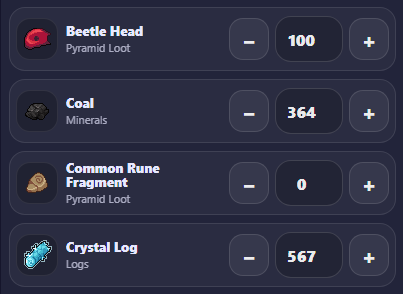
Add and manage your items
Use the plus/minus buttons or the quantity input to track everything you already own, including minerals, logs, loot, and craftables.
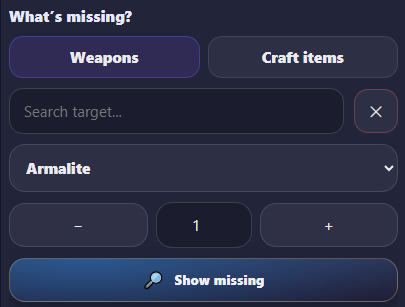
Select targets and preview missing items
Use the target panel to choose weapons or craft items, adjust the quantity, and press Show missing to instantly see which base materials and craft steps are still required.
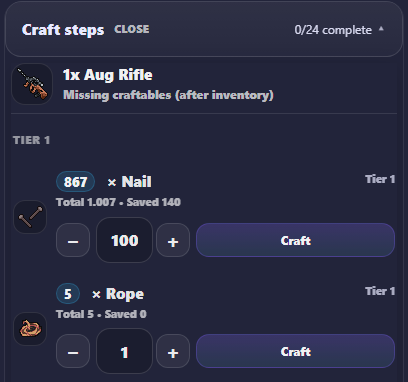
Craft directly from the step list
Inside Craft Steps, each material row can be crafted directly using the Craft button. The system automatically subtracts the required base materials from your inventory and updates the remaining steps, helping you mirror your real in-game crafting progress.
Multi-target priority

Add multiple weapons or craft targets
Use Add target to queue up to 4 weapons or craft items in the same calculation flow.
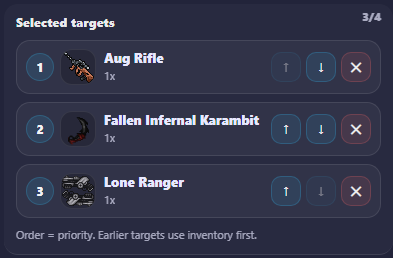
Priority order uses your inventory first
Targets are calculated from top to bottom. Earlier targets consume your saved inventory first, making the order important when planning multiple weapons.
Cloud backup

Create or connect your backup
Create a backup code for your current inventory or connect another device using an existing code.

Send or retrieve inventory data
Use Send to cloud to upload your latest local inventory, or Get from cloud to restore the saved version from another device.
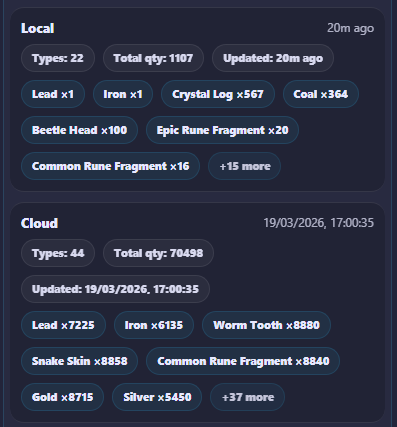
Compare local vs cloud before syncing
Review item totals, updated time, and key materials before deciding which version should replace the other.
Important note
This is a community planning tool focused on clarity and convenience. It helps players understand crafting routes, resource needs, and missing items, but it is not an official source.
🎒
Inventory
Set what you have. See what’s missing.
Your inventory Open
Add what you already have. This list is only for your own tracking.
What’s missing?
Selected targets
Order = priority. Earlier targets use inventory first.
Selected target
—
Qty
1x
Base
0/0
Steps
0
Inventory progress
0%
Missing materials Open
Craft steps Open
Cloud backup Open Local only
Local only
Never synced
Local
—
Cloud
—
Per target breakdown